Blog ·
Temp Mail for Social Media, Games and Apps
Almost every big app asks for an email address before you can look around. A temporary email lets you sign up and verify without giving away your real address. Here's how it works on the most popular services, and when it's a bad idea.
The short version
Most services send a code or a link to confirm your email. A temporary inbox receives both, so signing up usually works. The problem comes later. A Temp Mails inbox is deleted after one hour, and with it your way to reset the password, change the email or get security alerts.
So a temporary email is a good fit when you want to:
- Try an app before deciding whether to use it.
- Read or browse something that's behind a sign-up.
- Join something once, like a giveaway, an event or a single community.
- Keep your main inbox clean of newsletters and promotions.
If you think you'll keep the account, sign up with your own email, or switch to it while the temporary inbox is still open.
How to sign up with a temporary email
- Open Temp Mails and copy your address.
- Paste it into the sign-up form of the app or website.
- Go back to your inbox. The code or link appears by itself, usually within moments.
- Copy the code or click the link. Temp Mails picks them out, so you can use them with one click.
If a site refuses the address, create a new one on another domain. Some services block known temporary email domains, and none of them publish their lists.
Social media
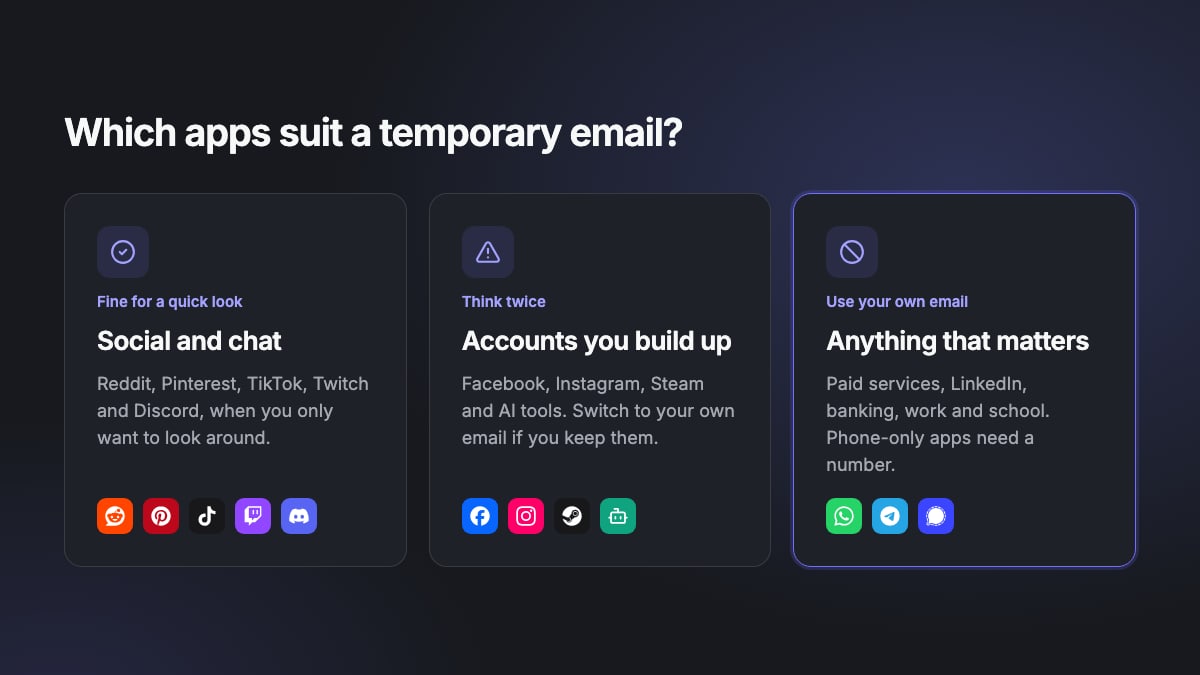
 Reddit. Good for reading and joining a few communities without linking your real inbox. Reddit sends notifications and password resets to your email, so if you start building up karma and history, add your own address.

 Facebook and Instagram. Both let you sign up with an email or a mobile number and send a confirmation code. They're quick to ask for extra checks if something looks unusual, and a locked account without a working email is hard to get back. Use a temporary email to test, not for your main profile.
 X (Twitter). Signs you up with an email or phone number and sends a code. X may ask for a phone number later, which a temporary email can't replace.
 TikTok. Lets you sign up with an email or phone number. Fine for a test account. For an account you post on, use an address you control.
 Snapchat. You can sign up with an email or a phone number. Snapchat is built around your friends list and contacts, so an account that's only tied to a temporary email is best kept as a test.

 Pinterest and Tumblr. Good examples of sites where you may only want to browse. A temporary email keeps the follow-up emails out of your inbox.
Gaming
 Discord. Works for signing up and verifying. Discord needs access to your current inbox before it lets you change the email, and its support can't do it for you. If you want to keep the account, switch to your own email while the temporary inbox is still open.
 Twitch. Sends a code to confirm your email, and some features need a verified address. Fine for watching and chatting. If you stream or subscribe, use your own email.

 Steam and Epic Games. Think twice. These accounts hold games you've paid for, and both can send login codes by email. Steam Guard does this if you haven't set up the mobile app. If the inbox is gone, you may not be able to log in at all.
AI tools
 ChatGPT and other AI assistants. Most send a verification link or code by email, which a temporary inbox can receive. Some also ask for a phone number. If you'll come back to your chat history or pay for a plan, sign up with your own email.
Apps where temporary email won't help


 WhatsApp, Telegram and Signal sign you up with a phone number, not an email. Temp Mails only receives email, so it can't help with text message codes.
Use your own email for these
- Anything you pay for, like streaming, shopping or subscriptions. Receipts and billing problems need to reach you.
- LinkedIn and work tools. These are tied to your real name and career.
- Banking, health, government, school and work accounts.
- Any account you'd be upset to lose.
There's one more reason. A deleted address can later be created again by someone else, who would then receive new mail sent to it, including password resets.
Use it for the right reasons
A temporary email protects your privacy. It's not a way around a platform's rules. Don't use it to get around a ban, make accounts in bulk or claim the same offer again and again. Most platforms forbid this, and so do Temp Mails' terms.
Ready to try it
Open a temporary inbox, sign up and see if the app is worth keeping. New to this? Start with what a temporary email is, or read how to get a verification code without your real email.
Need an address right now? Get a free temporary inbox in one click, with no sign-up.
Get a temporary email